An MCP server for Dynamics 365 Business Central? Why not?
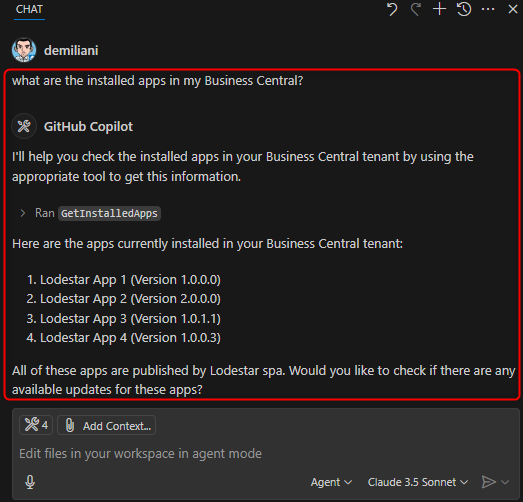
Explains the Model Context Protocol, an open standard from Anthropic for connecting AI apps to tools and data, and contrasts it with function calling. The author argues MCP suits Business Central and demos an alpha Admin Center MCP server that lists installed AppSource apps, checks for updates and schedules them from GitHub Copilot agent mode or Cursor.
 post Stefano Demiliani
Key points
- MCP gives AI apps one standard way to reach external tools and data instead of a custom integration per source
- Function calling produces provider-specific structured calls; MCP standardizes tool discovery, invocation and response handling
- MCP uses a client-server model built from hosts, clients, servers and data sources
- The author’s alpha Business Central Admin Center MCP server exposes tools to list AppSource apps, find updates and schedule an update
- The same server works from any MCP-capable tool such as GitHub Copilot or Cursor; the protocol is still new and evolving
Context
- Features: Model Context Protocol (MCP) server, MCP client-server architecture, Tool discovery and invocation, AppSource app management via MCP, Multi-Copilot tool support
Source: Stefano Demiliani, community blog. Summary, key points and quotes are derived (CONTENT-NOTICE.md); read the original for the full text.