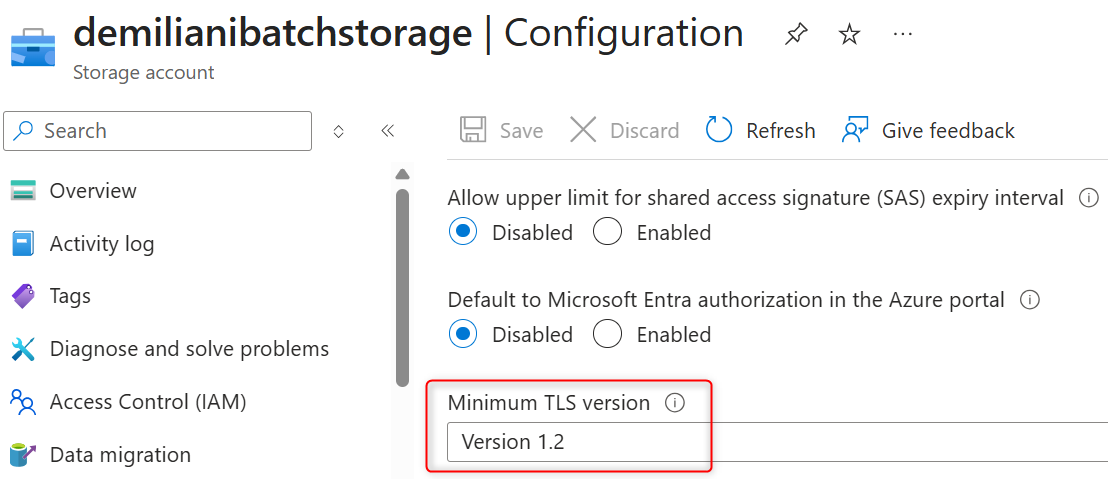
Do you have applications connecting to an Azure Storage Account? Be sure to use TLS 1.2 or later.
Azure Blob Storage will require TLS 1.2 or later starting February 3, 2026, discontinuing support for TLS 1.0 and 1.1. Applications connecting to Azure Storage Accounts must be upgraded to TLS 1.2, and administrators can use Azure CLI and registry configuration to ensure compliance across storage accounts and .NET applications.
 post Stefano Demiliani
"Dynamics 365 Business Central is TLS 1.2 compliant, it has no issues related to storage account connection with TLS."
Key points
- Azure Blob Storage ends TLS 1.0 and 1.1 support on February 3, 2026, with TLS 1.2 becoming mandatory
- Use Azure CLI queries to identify storage accounts with outdated TLS versions and update them via portal or scripting
- .NET Framework applications require SystemDefaultTlsVersions registry key enabled and .NET Framework 4.7 or later for TLS 1.2 support
- .NET Core and .NET 5+ applications already use OS defaults and need no additional configuration
- Dynamics 365 Business Central is TLS 1.2 compliant and has no issues with this change
Quotes
- “Dynamics 365 Business Central is TLS 1.2 compliant, it has no issues related to storage account connection with TLS.” (Confirms Business Central applications will not be impacted by the TLS enforcement change)
Context
- Features: Azure Storage Account connection, TLS 1.2 enforcement, Azure CLI management, .NET Framework configuration, SystemDefaultTlsVersions registry setting
Source: Stefano Demiliani, community blog. Summary, key points and quotes are derived (CONTENT-NOTICE.md); read the original for the full text.