📊 Mermaid Diagrams in Business Central: Dynamic Visual Intelligence 🎨
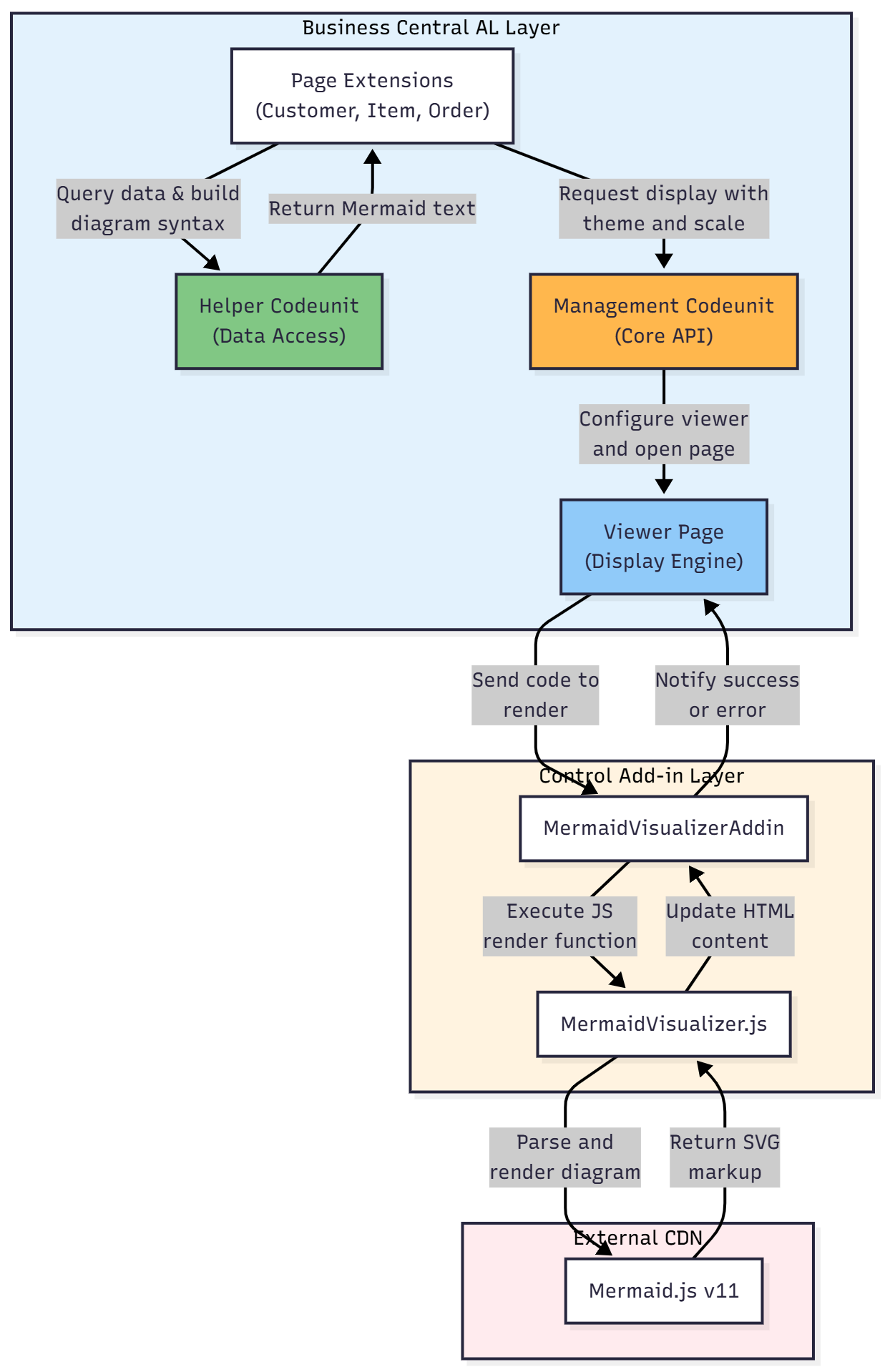
Describes a sample Business Central extension that renders Mermaid.js diagrams from live BC table data. It uses three layers: AL page extensions and codeunits, a JavaScript control add-in bridge, and the Mermaid.js CDN. Examples include a Gantt project timeline from job tasks, customer sales flows, BOM structures and order status flows, with selectable themes and scaling and one-click SVG export.
 post Gerardo Rentería Blog
Key points
- Mermaid.js is a JavaScript library that generates diagrams from text definitions, similar to Markdown syntax
- The framework uses a three-layer architecture: AL page extensions and codeunits, a JavaScript control add-in bridge, and the external Mermaid.js CDN library
- Supports multiple diagram types including flowcharts, Gantt charts, ER diagrams, class diagrams, state diagrams, and sequence diagrams
- Diagrams are fully customizable with four built-in themes (Default, Dark, Forest, Neutral) and three scaling options (60%, 80%, 100%)
- All diagrams can be exported as SVG with one click for use in presentations, documentation, and email sharing
AL objects mentioned
As named in the post. A name that matches one object page by exact type and name links to it; the others stay as named.
- page “MermaidExample05JobList”
- page “MermaidExample01CustomerList”
- page “MermaidExample02ItemList”
- page “MermaidExample03PurchaseOrder”
- page “MermaidExample04SalesOrder”
- codeunit “MermaidExampleHelpers”
- codeunit “MermaidVisualizationMgt”
- enum “Mermaid Theme”
- page “MermaidCodeEditor”
- page “MermaidDisplayOptions”
- page “MermaidVisualViewer”
- other “MermaidVisualizerAddin”
- other “MermaidVisualizer.js”
- permissionset “MermaidPermissions”
Not found in BC28-30: page “MermaidExample05JobList”, page “MermaidExample01CustomerList”, page “MermaidExample02ItemList”, page “MermaidExample03PurchaseOrder”, page “MermaidExample04SalesOrder”, codeunit “MermaidExampleHelpers”, codeunit “MermaidVisualizationMgt”, enum “Mermaid Theme”, page “MermaidCodeEditor”, page “MermaidDisplayOptions”, page “MermaidVisualViewer”, permissionset “MermaidPermissions”.
Context
- Features: Flowchart generation, Gantt chart creation, ER diagram support, Class diagram visualization, State diagram rendering, Sequence diagram display, Theme customization, SVG export
Source: Gerardo Renteria, community blog. Summary, key points and quotes are derived (CONTENT-NOTICE.md); read the original for the full text.