BC Friday Tips #79 Change Log Deletion on One Field
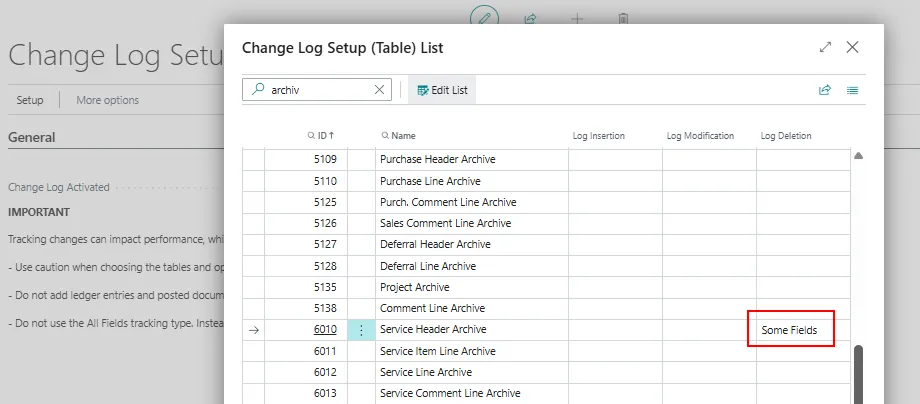
Enabling deletion logging on a single primary key field is sufficient to track who deleted a record in Business Central, avoiding unnecessary duplicate Change Log entries. This approach keeps the change log smaller and easier to review.
Read it hereOpen in Claudehttps-thatnavguy-com-blog-2026-bc-friday-tips-79-change-log-deletion-on-one-field--e06c352acf.md
 post That NAV Guy
"If you enable deletion logging for every field, Business Central can create many unnecessary Change Log entries."
Key points
- Enable deletion logging on only one field in the primary key to capture deletion information
- Enabling logging on multiple fields creates redundant Change Log entries with duplicate information
- A smaller, cleaner change log makes investigation and troubleshooting easier
- Single-field logging approach provides the same deletion tracking result with less configuration noise
Quotes
- “If you enable deletion logging for every field, Business Central can create many unnecessary Change Log entries.” (Explains the problem of over-configuration that leads to bloated audit logs)
- “Business Central can still capture who deleted the record.” (Confirms that single-field logging provides sufficient deletion tracking capability)
Context
- Features: Change Log deletion tracking, audit logging
Source: That NAV Guy, community blog. Summary, key points and quotes are derived (CONTENT-NOTICE.md); read the original for the full text.