BC Friday Tips #82 Excel Buffer Character Limit
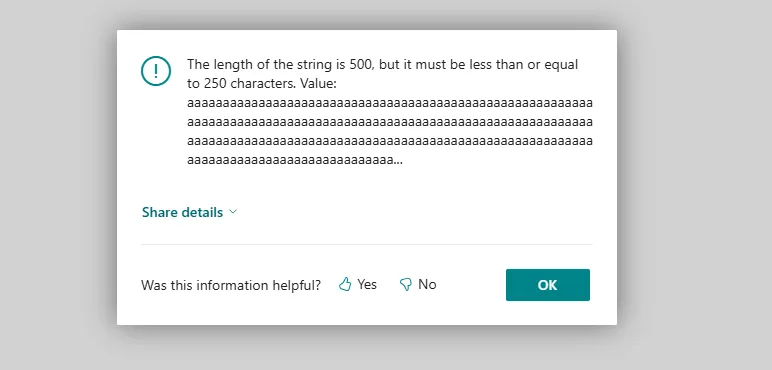
Excel Buffer in Business Central has a 250-character limit on field values. When longer text is written to it, Business Central throws an error instead of silently truncating, which can cause Excel exports to fail.
Read it hereOpen in Claudehttps-thatnavguy-com-blog-2026-bc-friday-tips-82-excel-buffer-character-limit--e27af9f4a3.md

Key points
- Excel Buffer field is limited to 250 characters maximum
- Exceeding the limit triggers an error rather than truncation
- The procedure signature does not make this limitation obvious
- Long text values must be validated or shortened before writing to Excel Buffer
- This affects Excel export functionality
Quotes
- “That field is limited to 250 characters.” (This is the core technical constraint developers must know to prevent export failures.)
- “If you try to write a longer value, Business Central throws an error instead of truncating it.” (Understanding the error behavior is critical for debugging and implementing proper validation logic.)
AL objects mentioned
As named in the post. A name that matches one object page by exact type and name links to it; the others stay as named.
- other “Excel Buffer”
Context
- Features: Excel Buffer field handling, Excel export validation
Source: That NAV Guy, community blog. Summary, key points and quotes are derived (CONTENT-NOTICE.md); read the original for the full text.