BC Friday Tips #86 Restart the VS Code Extension Host
Restarting the VS Code AL extension host via Command Palette can resolve build failures without reloading the entire window, reducing developer interruptions when the AL extension appears stuck.
Read it hereOpen in Claudehttps-thatnavguy-com-blog-2026-bc-friday-tips-86-restart-vs-code-extension-host--4b51972468.md
 post That NAV Guy
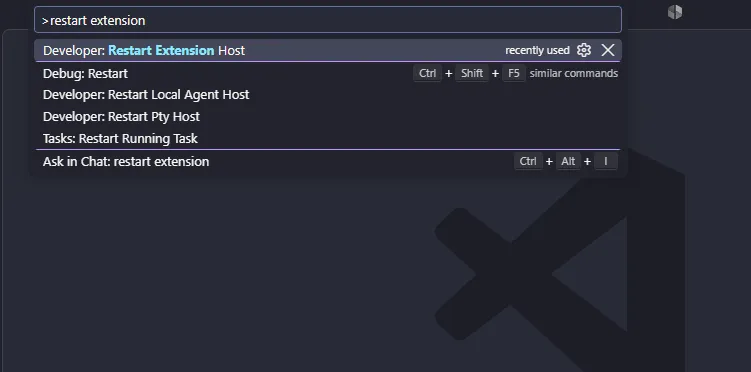
"Try running Developer: Restart Extension Host from the Command Palette (Ctrl+Shift+P)."
Key points
- Run ‘Developer: Restart Extension Host’ from Command Palette (Ctrl+Shift+P) when AL builds fail
- Restarts only the extension process, not the whole VS Code window
- Resolves errors like ‘The package could not be created’ without full window reload
- Reduces development workflow interruptions
Quotes
- “Try running Developer: Restart Extension Host from the Command Palette (Ctrl+Shift+P).” (Provides the exact command to resolve extension issues without window reload)
- “This restarts the process that runs VS Code extensions, including the AL extension, while keeping the window open.” (Explains why this approach is faster than reloading the entire VS Code window)
Context
- Features: AL extension, VS Code integration
Source: That NAV Guy, community blog. Summary, key points and quotes are derived (CONTENT-NOTICE.md); read the original for the full text.