BC Friday Tips #87 Check for Microsoft Apps on AppSource
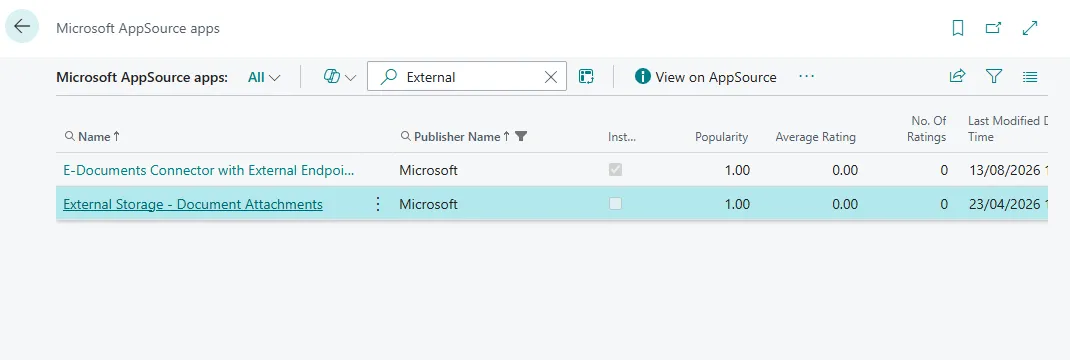
Not all Microsoft applications for Business Central are installed by default. Before requesting customizations, check AppSource for available Microsoft apps that may provide the needed functionality, such as External Storage for document attachments.
Read it hereOpen in Claudehttps-thatnavguy-com-blog-2026-bc-friday-tips-87-check-for-microsoft-apps-on-appsource--f7b48b4e88.md
 post That NAV Guy
"not all Microsoft apps are installed in your Business Central environment by default"
Key points
- Microsoft apps for Business Central are distributed across multiple separate applications on AppSource
- Essential features like external document storage require installing dedicated Microsoft apps
- Consultants should verify available Microsoft apps on AppSource before recommending custom development
- Business Central functionality extends beyond the core product through optional Microsoft apps
Quotes
- “not all Microsoft apps are installed in your Business Central environment by default” (Explains why expected features may not be available without additional installation steps)
- “Check what’s available before assuming you need a customisation” (Directs consultants to reduce unnecessary custom development by exploring standard Microsoft solutions first)
Context
- Features: External Storage - Document Attachments
Source: That NAV Guy, community blog. Summary, key points and quotes are derived (CONTENT-NOTICE.md); read the original for the full text.