Dynamics 365 Business Central: How to use the OData V4 IN operator in web service queries
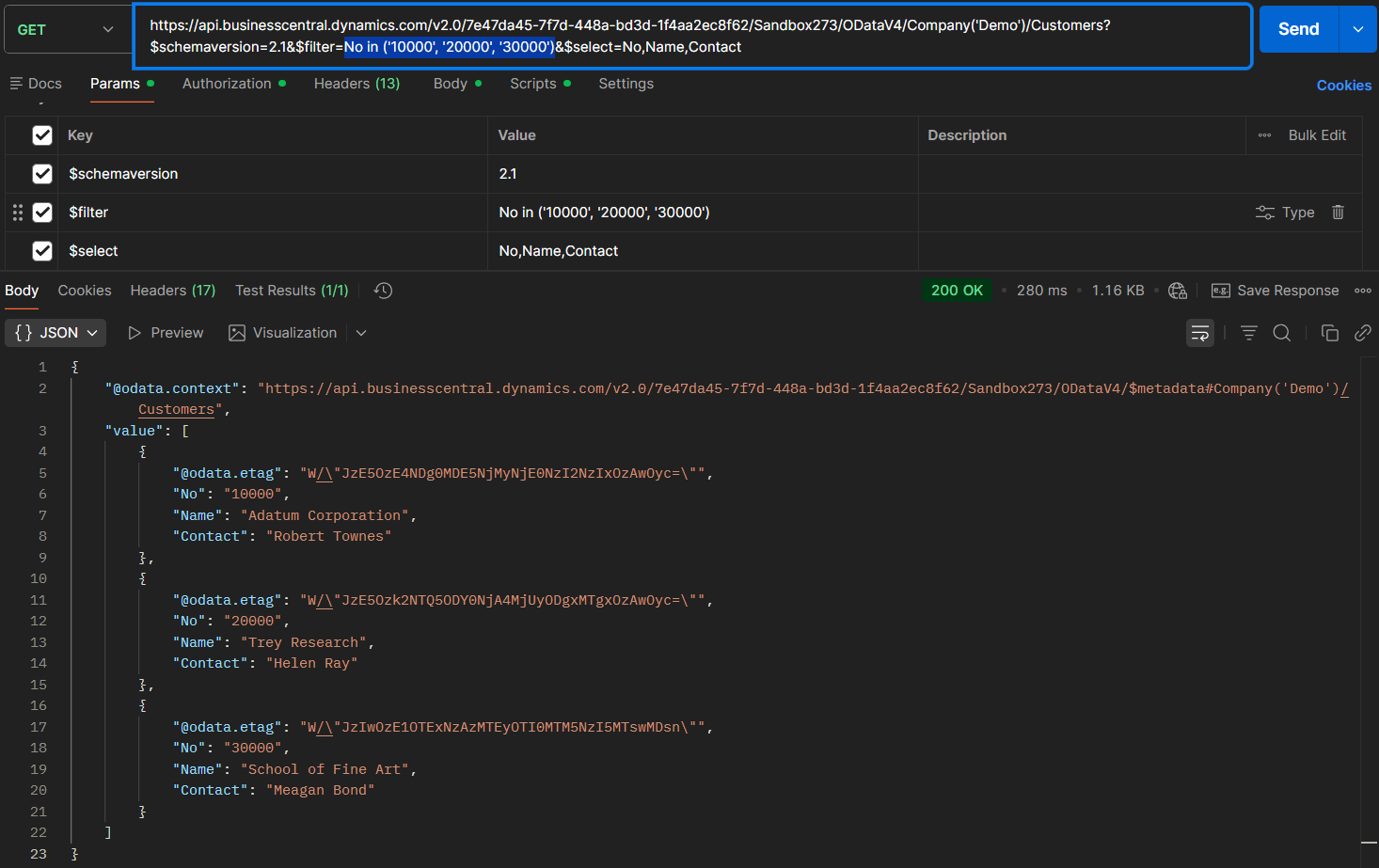
The OData V4 IN operator simplifies web service queries in Business Central 2024 wave 1 by allowing developers to filter multiple values with a single operator instead of chaining OR conditions. The feature requires schema version 2.1 to work properly.
 post Dynamics 365 Lab
"With this release, the developer can use the OData IN operator and write $filter=CustomerNo IN ('10000','20000','30000')."
Key points
- OData IN operator lets developers replace multiple OR conditions with a single IN filter expression
- Feature was introduced in Business Central 2024 wave 1
- The schemaversion parameter must be set to 2.1 for the IN operator to function
- Simplifies integration development by reducing query complexity
Quotes
- “With this release, the developer can use the OData IN operator and write $filter=CustomerNo IN (‘10000’,‘20000’,‘30000’).” (Demonstrates the simplified syntax the IN operator provides compared to OR chains)
- “This only works in $schemaversion=2.1.” (Critical requirement that explains why the IN operator fails without the proper schema version parameter)
Context
- Features: OData V4 IN operator
- Versions: 2024 wave 1
Source: Dynamics 365 Lab - Yun Zhu, community blog. Summary, key points and quotes are derived (CONTENT-NOTICE.md); read the original for the full text.