Dynamics 365 Business Central Blog Series: Links and Notes (System Parts)
A blog series index covering how to manage Links, Notes, and Attachments in Dynamics 365 Business Central, including adding them to pages, exporting and importing data, copying between documents, and removing orphaned links.
 post Dynamics 365 Lab
Key points
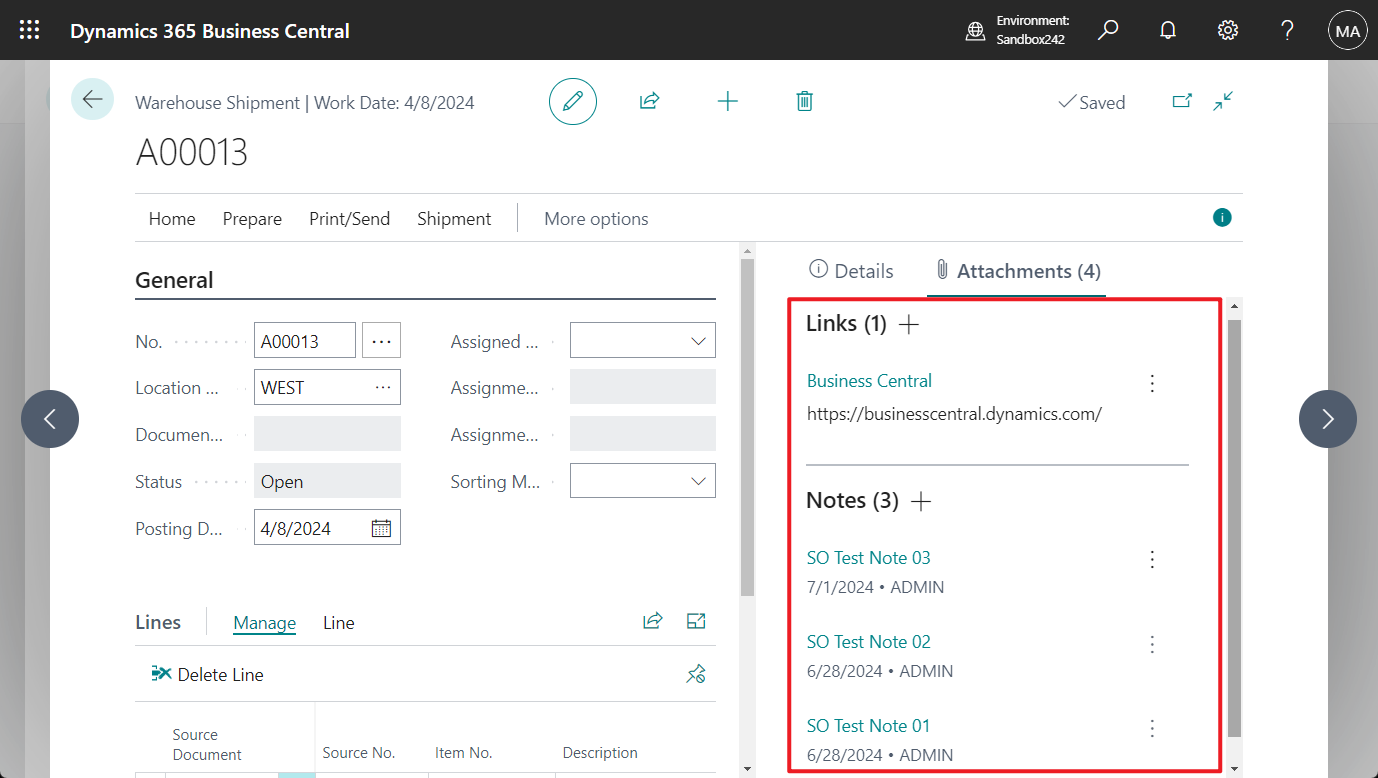
- Provides techniques for adding Attachments, Links, and Notes factboxes to custom pages
- Shows how to export, import, and copy Links and Notes between documents with and without customization
- Covers copying Links and Notes from source documents to warehouse and posted documents
- Addresses data cleanup by removing orphaned record links
Context
- Features: Attachments, Links, Notes, Factbox, Record Links, Posted Documents
Source: Dynamics 365 Lab - Yun Zhu, community blog. Summary, key points and quotes are derived (CONTENT-NOTICE.md); read the original for the full text.