Dynamics 365 Business Central: How to check if the time zone supports daylight saving time (DST) via AL
This post explains how to check whether a time zone supports daylight saving time (DST) in Business Central using AL code. It demonstrates using the TimeZoneSupportsDaylightSavingTime method from codeunit 8720 to determine DST support and includes a practical page extension example.
 post Dynamics 365 Lab
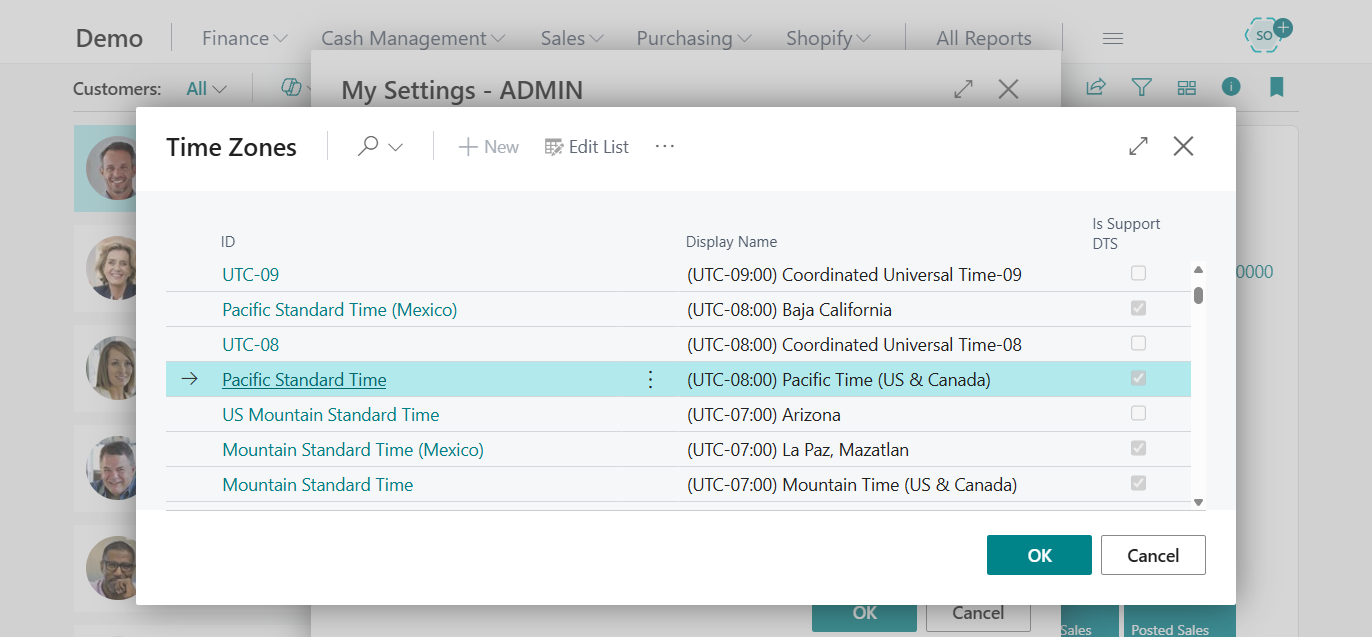
"the standard Time Zone table does not include daylight saving time (DST). Is there a way to display it?"
Key points
- Business Central stores all DateTime fields as UTC and converts them to user-specified time zones in the UI
- The standard Time Zone table does not include daylight saving time information
- Use codeunit 8720 ‘Time Zone’ method TimeZoneSupportsDaylightSavingTime to check DST support for a time zone ID
- The example shows adding a DST support field to the Time Zones Lookup page using a page extension
Quotes
- “the standard Time Zone table does not include daylight saving time (DST). Is there a way to display it?” (This identifies the problem that the solution addresses)
AL objects mentioned
As named in the post. A name that matches one object page by exact type and name links to it; the others stay as named.
- table “Time Zone”
- codeunit 8720 “Time Zone”
- page 9216 “Time Zones Lookup”
Not found in BC28-30: table “Time Zone”.
Context
- Features: daylight saving time checking, time zone management, datetime conversion, page extensions
Source: Dynamics 365 Lab - Yun Zhu, community blog. Summary, key points and quotes are derived (CONTENT-NOTICE.md); read the original for the full text.