Dynamics 365 Business Central: Where to find all standard AL namespaces? (Download all AL namespaces)
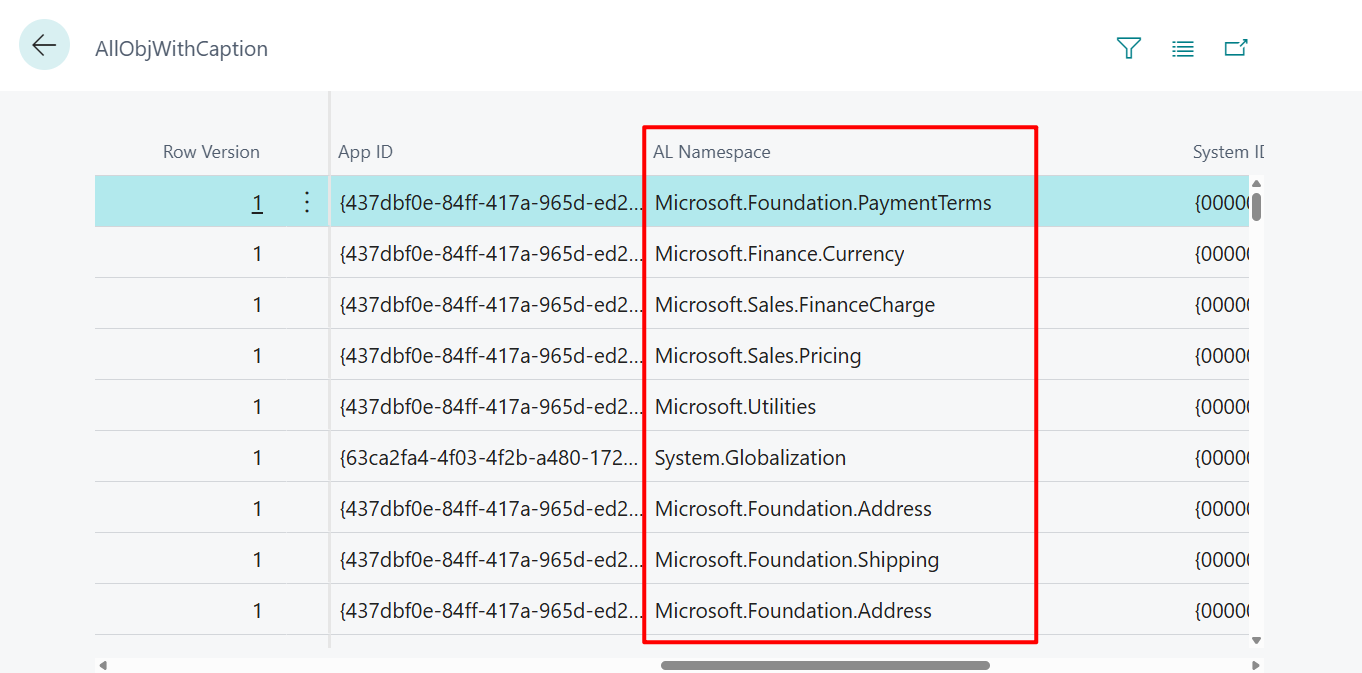
The post explains how to find and download all standard AL namespaces in Business Central by viewing the AllObjWithCaption virtual table and creating a list page with analysis mode to group and export the data.
 post Dynamics 365 Lab
"Namespaces are used to organize code into logical groups and hierarchies, which can prevent naming conflicts that can occur when libraries are combined."
Key points
- Namespaces organize code into logical groups and prevent naming conflicts
- The AllObjWithCaption virtual table (2000000058) displays AL Namespace information for all objects
- Create a list page based on AllObjWithCaption to access analysis mode features
- Use analysis mode to group namespaces and export data to Excel
Quotes
- “Namespaces are used to organize code into logical groups and hierarchies, which can prevent naming conflicts that can occur when libraries are combined.” (Explains the purpose of namespaces in preventing code conflicts and organizing code structure)
AL objects mentioned
As named in the post. A name that matches one object page by exact type and name links to it; the others stay as named.
- table “AllObjWithCaption”
- table 18 “Customer”
- page “All Object List”
Not found in BC28-30: table “AllObjWithCaption”, page “All Object List”.
Heads up
- warning: “A query cannot be based on a virtual table.”
Context
- Features: AL namespaces, virtual tables, analysis mode, data export
- Versions: W1 27.4
Source: Dynamics 365 Lab - Yun Zhu, community blog. Summary, key points and quotes are derived (CONTENT-NOTICE.md); read the original for the full text.