Dynamics 365 Business Central: AL Object Relations Visualizer (New VS Code extension)
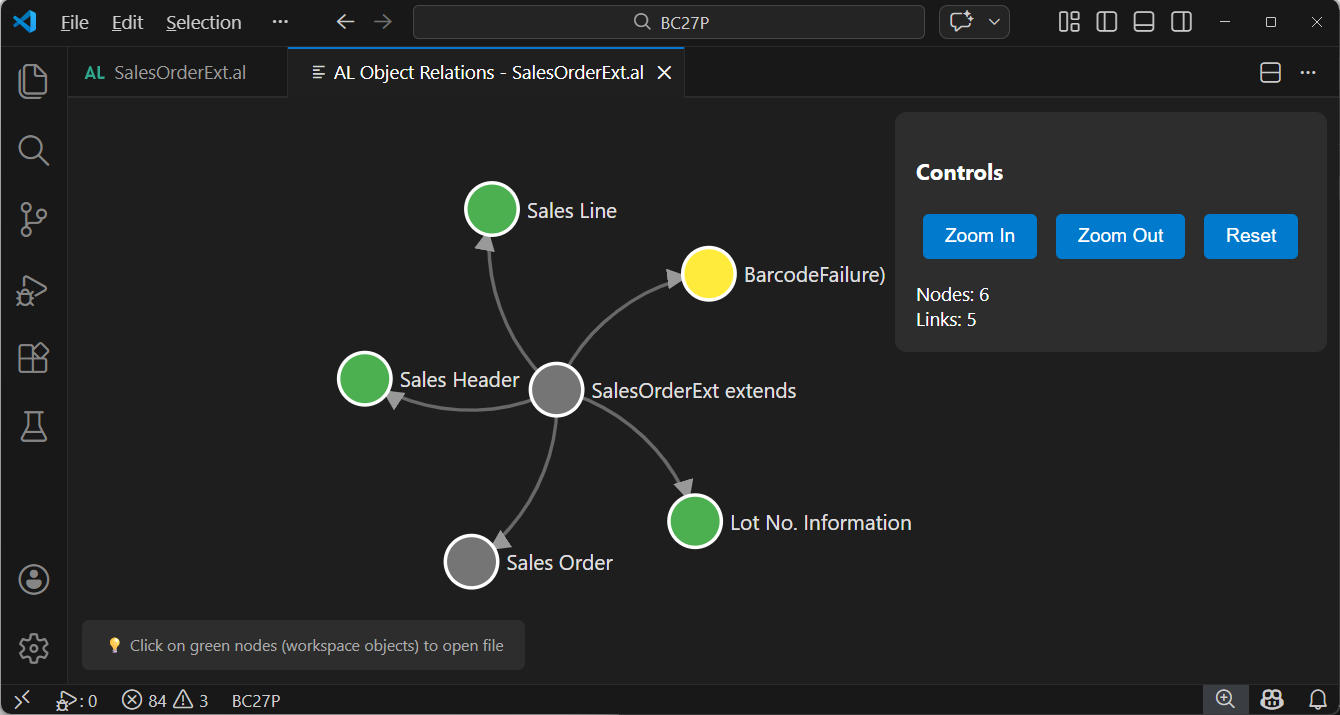
The AL Object Relations Visualizer is a VS Code extension that creates interactive, force-directed graph visualizations of relationships between AL objects in Business Central projects. It helps developers understand code dependencies through color-coded nodes, clickable file navigation, and detailed tooltips showing field names, variable declarations, and relation types.
 post Dynamics 365 Lab
"AL Object Relations Visualizer: Visualizes relationships between AL objects in Business Central projects"
Key points
- Provides force-directed graph visualization using D3.js to display AL object relationships
- Automatically scans workspace to find all AL objects and their dependencies
- Offers detailed tooltips with contextual information about field names, variables, and source tables
- Enables direct file opening by clicking nodes and color-codes objects by type for quick identification
Quotes
- “AL Object Relations Visualizer: Visualizes relationships between AL objects in Business Central projects” (This is the core purpose of the tool and explains how it helps developers understand code structure)
- “Right-click in an AL file → “AL Obj. Rel. Viz: Show Current File Relations”” (Shows the simple usage pattern developers follow to access the visualization feature)
Context
- Features: Interactive visualization, Automatic object scanning, Click to open files, Detailed tooltips, Color-coded nodes, Force-directed graph, D3.js visualization, Contextual information display
Source: Dynamics 365 Lab - Yun Zhu, community blog. Summary, key points and quotes are derived (CONTENT-NOTICE.md); read the original for the full text.