Business Central 2026 release wave 1 (BC28): Set default language for documents on the company level (Default Language Code)
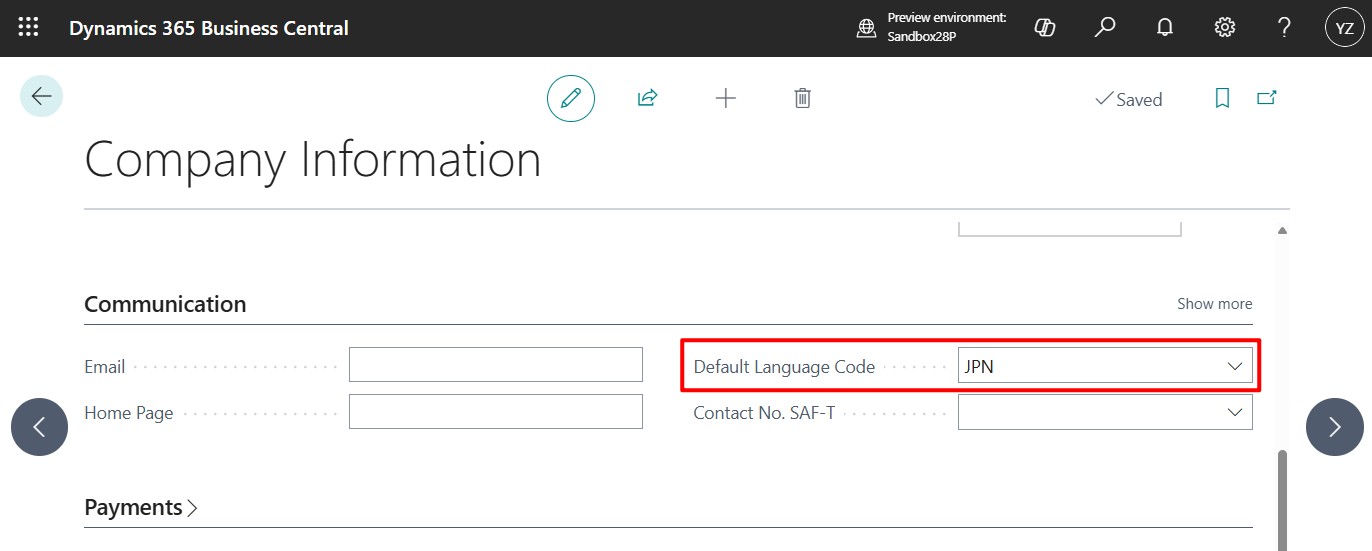
Business Central 2026 wave 1 introduces a company-level default language code for customer-facing documents. This feature allows organizations to define a default language for documents like invoices and sales orders, ensuring multilingual teams send documents consistently in the customer's expected language regardless of the user's UI language settings.
 post Dynamics 365 Lab
"Local customers will consistently receive invoices and other sales documents in the expected language, regardless of the user's UI language."
Key points
- New Default Language Code field in Company Information sets a company-wide language for documents
- Documents use the company default language instead of the user’s language setting
- Improves clarity and reduces confusion for customers in multilingual scenarios
- Complements existing Language Code in master data and Region property from BC22
Quotes
- “Local customers will consistently receive invoices and other sales documents in the expected language, regardless of the user’s UI language.” (This explains the core benefit: ensures consistent document language for multilingual organizations without relying on user settings)
- “This improves clarity, reduces confusion, and ensures a better customer experience, especially in multilingual teams.” (Highlights the business value and the scenario where this feature is most useful)
Context
- Features: Default Language Code for documents, Company-level language configuration, Sales document language control, Purchase document language control
- Versions: BC28, 2026 release wave 1
Source: Dynamics 365 Lab - Yun Zhu, community blog. Summary, key points and quotes are derived (CONTENT-NOTICE.md); read the original for the full text.