Enable Cost Control Strategies for Business Central Telemetry
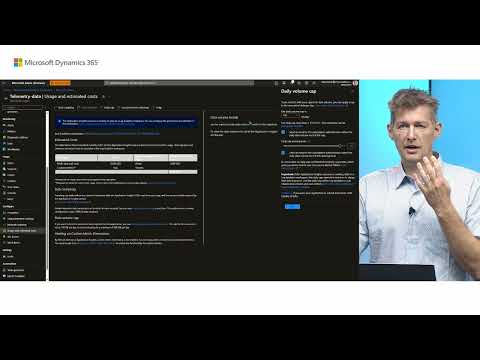
How to control Application Insights telemetry costs for Business Central. Ingesting data costs money, and so does keeping it longer than the default retention policy. The video shows where to view usage and estimated monthly costs under the Configure menu, and how to set a daily ingestion cap (for example, 100 MB per day) with a warning for when it is exceeded. Per the speaker, the first four GB per month are free, and data beyond the cap is no longer ingested.
- Introduction to Telemetry Cost Management
- Accessing Usage and Cost Information
- Understanding Monthly Costs and Pricing
- Setting Daily Cap and Alerts
- Conclusion and Next Steps
Overview
A short demo of how to manage the cost of Business Central telemetry sent to Application Insights. Ingesting data costs money, so the video treats it like any other resource whose cost should be controlled.
It shows where to see telemetry usage and estimated monthly costs, which read zero for a new resource until data has been ingested. It then covers setting a daily cap in gigabytes or megabytes and the warnings that appear when the cap is approached or exceeded. When a warning appears, data is being lost because it is no longer ingested.
Key points
- Telemetry costs come from ingesting data and from retaining it longer than the default retention policy.
- Usage and estimated costs are found under the Configure menu of the Application Insights resource and show an overview of monthly payments.
- A new resource shows zero cost until data has been ingested.
- The speaker believes the first four gigabytes per month are free; ingestion after that is charged.
- A daily cap sets the maximum gigabytes or megabytes of data to ingest per day; the speaker suggests starting with 100 MB (0.1 GB) per day.
- Set a warning for when the cap is exceeded: a warning means data is no longer being ingested.
Features
Every feature below: status not stated, demoed.
| Feature | At |
|---|---|
| Telemetry Usage and Estimated Costs View | 0:20 |
| Daily Cap for Telemetry Ingestion | 1:01 |
| Telemetry Daily Cap Warnings | 1:38 |
Quotes
- 0:00 “it is important just like any other as a resource that you control the cost of this it cost data to ingest data into”
- 0:00 “it cost data to ingest data into Telemetry and it costs to uh keep it for longer than the default retention policy”
- 0:40 “once you have data here you um you will be able to see see your monthly costs”
- 1:21 “the first I believe it’s four gigabytes a month is free and after that you pay for your ingestion”
- 1:21 “so in the beginning maybe simply set 100 megabytes or 0.1 so 100 megabytes per day”
- 1:38 “if you get a warning it means that there is data that you not not getting anymore”