Dynamics 365 Business Central 2026 Wave 1. What’s New in Performance.
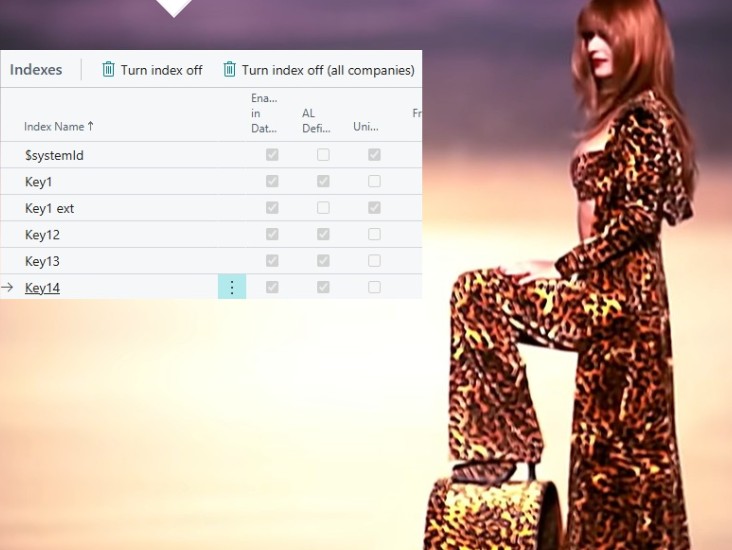
Dynamics 365 Business Central 2026 Wave 1 introduces the ability to enable or disable database indexes directly in the UI, available per company or across all companies. This feature, combined with telemetry improvements, allows administrators to optimize performance by managing index usage without requiring development environment access.
 post Dynamics 365 Business Central tales, myths, legends. And something serious.
"Together with telemetry? Pure explosive!"
Key points
- Version 28 brings back enabling and disabling indexes, now in the client from the Table Information page instead of the development environment
- Indexes can be turned on or off for the current company or for all companies
- Removing unused indexes can speed up writes, and enabling needed ones can speed up reads, but the author warns this needs care
- The author ranks this release third among performance releases since 2023 Wave 2, close to ground-breaking for online
- Gaps remain: no AL API, no control over indexed views, and no record of who changed an index or when
Quotes
- “Together with telemetry? Pure explosive!” (Indicates the combined power of index management and telemetry data for comprehensive performance analysis)
- “Enabling or disabling (optimizing) indexes is more than a simple technical drill. It is AN ART!” (Emphasizes that index optimization requires strategic expertise and careful planning, not just technical execution)
Context
- Features: Enable/Disable Indexes in UI, Optimized Base64 Handling, sqlServerSessionId in telemetry signals, Index optimization at company level
- Versions: 28, 2026 Wave 1
Source: Duilio Tacconi, community blog. Summary, key points and quotes are derived (CONTENT-NOTICE.md); read the original for the full text.