Business Central 2026 release wave 1 (BC28): Financial Reporting enhancements
Business Central 2026 wave 1 introduces enhancements to Financial Reporting that streamline report creation, distribution, and administration. Report authors can customize layouts and branding, users can automate report scheduling and run reports across dimensions, and administrators gain centralized control of defaults and audit logging.
 post Dynamics 365 Lab
Key points
- Report authors can show the company logo on PDF output and override global defaults for negative number format, report period and logo placement on a single report.
- Report users can schedule reports for a distribution group, with output delivered by email and to the report inbox, and can run a report over all values of a dimension.
- Administrators can set global defaults for negative number format, report period and logo placement, and monitor report use in a new audit log.
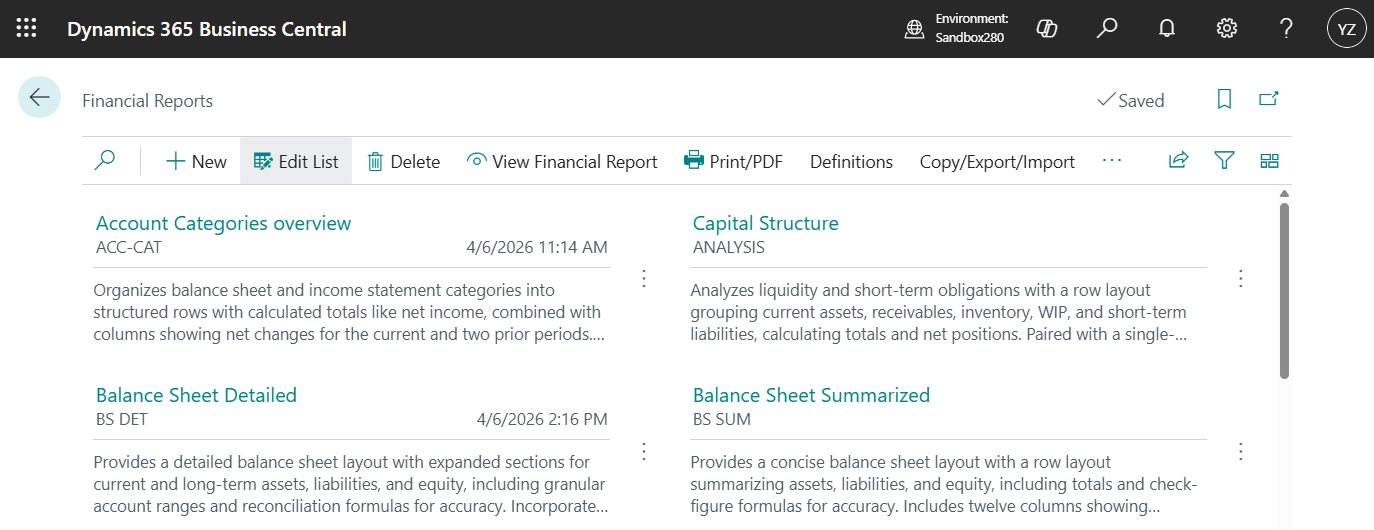
- Earlier versions already replaced account schedules with Financial Reports and added dedicated APIs plus standard reports and demo data; BC28 builds on that and also adds a tile view and options to hide filters.
Context
- Features: Financial Report customization, PDF logo placement, Report scheduling and distribution, Dimension-based reporting, Global defaults management, Audit logging for reports, Financial Report Categories, Financial Report Statuses
- Versions: BC28, 2026 release wave 1
Source: Dynamics 365 Lab - Yun Zhu, community blog. Summary, key points and quotes are derived (CONTENT-NOTICE.md); read the original for the full text.