Dynamics 365 Business Central: How to add or subtract hours from a DateTime field
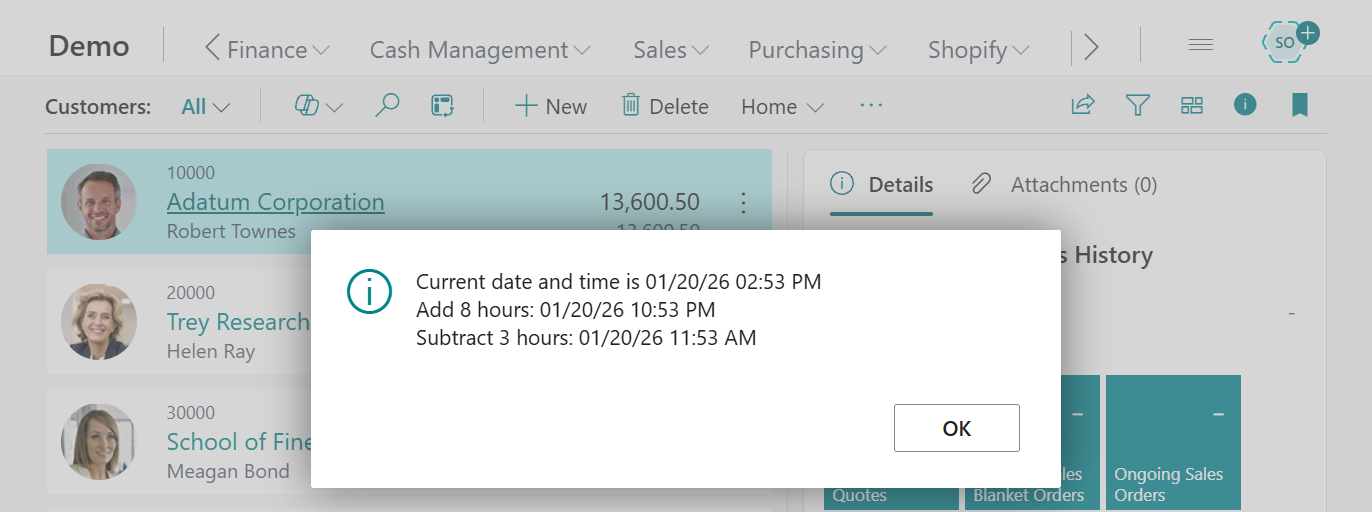
Adding or subtracting hours from DateTime fields in Business Central can be done using the AddHoursToDateTime procedure from the Type Helper codeunit. This is useful for timezone conversions and date-time manipulations in AL code.
 post Dynamics 365 Lab
"if you only need to add or subtract hours from a DateTime field, there's an even simpler method"
Key points
- The Type Helper codeunit provides an AddHoursToDateTime procedure for simple hour arithmetic on DateTime fields
- Pass positive values to add hours and negative values to subtract hours
- This method is simpler than working with Duration data type when you only need to adjust hours
- Timezone conversions can be achieved by adding or subtracting hours based on the offset between UTC and the target timezone
Quotes
- “if you only need to add or subtract hours from a DateTime field, there’s an even simpler method” (Highlights that AddHoursToDateTime is a convenient alternative to Duration calculations for hour-only adjustments)
AL objects mentioned
As named in the post. A name that matches one object page by exact type and name links to it; the others stay as named.
Possibly related
No source states these links: they share an object, a model read them, or a person found the same subject.
- Dynamics 365 Business Central: How to add a “TAB” character to a string via AL — possibly related: both name Codeunit 10 “Type Helper”
- Dynamics 365 Business Central: How to add Filter by item attributes to the Item Ledger Entries page — possibly related: both name Codeunit 10 “Type Helper”
- Dynamics 365 Business Central: How to add Notes (System Parts) from FactBox to a report — possibly related: both name Codeunit 10 “Type Helper”
- Dynamics 365 Business Central: How to convert Month Name (Text) to Month Number (Integer) — possibly related: both name Codeunit 10 “Type Helper”
- Understanding AL Development: The Type Helper Code Unit — possibly related: both name Codeunit 10 “Type Helper”
Context
- Features: DateTime manipulation, AddHoursToDateTime procedure, timezone conversion, Duration data type
Source: Dynamics 365 Lab - Yun Zhu, community blog. Summary, key points and quotes are derived (CONTENT-NOTICE.md); read the original for the full text.