Dynamics 365 Business Central: Automatically add extended text for items, general ledger accounts, and resources (Automatic Ext. Texts)
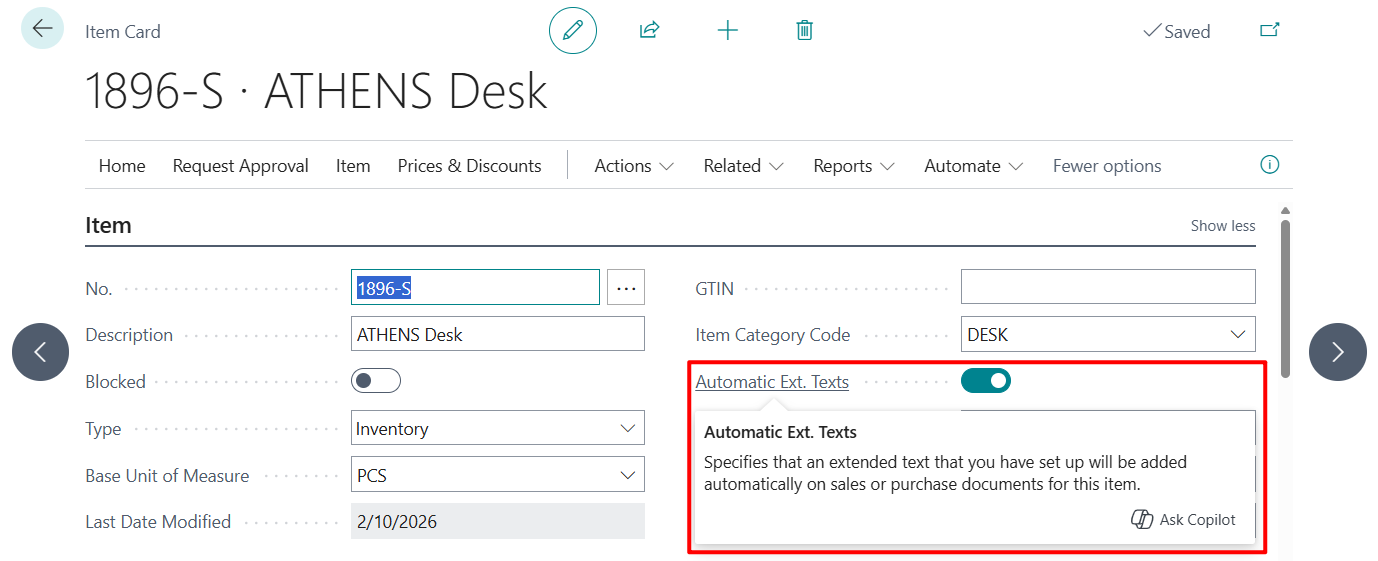
Extended text allows you to expand descriptions for items, stock-keeping units, general ledger accounts, and resources with additional lines and conditions. The automatic extended text feature eliminates manual insertion steps by automatically populating extended texts on sales and purchase documents when enabled.
 post Dynamics 365 Lab
"Extended Text feature, you can extend the description for items, stock-keeping units, general ledger accounts, and resources by adding extra lines."
Key points
- Extended text adds extra descriptive lines to items, SKUs, GL accounts, and resources with configurable conditions and date ranges
- Manual insertion of extended text requires selecting the Insert Ext. Text action on document lines
- Automatic Ext. Texts setting automatically includes all defined extended texts when adding items to documents without manual intervention
- The automatic feature is available on Item Card, Chart of Accounts, and Resource pages
Quotes
- “Extended Text feature, you can extend the description for items, stock-keeping units, general ledger accounts, and resources by adding extra lines.” (Explains the scope and purpose of the extended text capability across multiple Business Central entities)
- “Once this setting is enabled, no further manual steps are needed; adding an item will automatically populate all associated Extended Texts.” (Highlights the key advantage of automatic extended text in reducing manual work and improving efficiency)
AL objects mentioned
As named in the post. A name that matches one object page by exact type and name links to it; the others stay as named.
Possibly related
No source states these links: they share an object, a model read them, or a person found the same subject.
- Allow Over Receipts of Products — possibly related: both name Page 30 “Item Card”
- Analysis Mode killed half the Excel exports on your client’s shared drive — possibly related: both name Page 16 “Chart of Accounts”
- Business Central 2025 wave 2 (BC27): Add more fields and columns by personalizing pages — possibly related: both name Page 30 “Item Card”
- Business Central 2026 release wave 1 (BC28): Calculate excise taxes — possibly related: both name Page 30 “Item Card”
- Business Central 2026 release wave 1 (BC28): Calculate withholding taxes for vendors (Withholding Tax) — possibly related: both name Page 30 “Item Card”
- Business Central 2026 release wave 1 (BC28): Define item attributes for item variants — possibly related: both name Page 30 “Item Card”
- Business Central 2026 release wave 1 (BC28): Get item insights with advanced KPIs and Summary (new Item Statistics page) — possibly related: both name Page 30 “Item Card”
- Define Item Attributes for Item Variants — possibly related: both name Page 30 “Item Card”
- Directions EMEA 2023 Keynote: Business Central saves time for consultants and power users — possibly related: both name Page 30 “Item Card”
- Dynamics 365 Business Central – Some Considerations when Changing Standard Cost on an Item Card — possibly related: both name Page 30 “Item Card”
Context
- Features: Extended Text, Automatic Extended Text, Extended Text for Items, Extended Text for Resources, Extended Text for General Ledger Accounts
Source: Dynamics 365 Lab - Yun Zhu, community blog. Summary, key points and quotes are derived (CONTENT-NOTICE.md); read the original for the full text.